Catalogue
Finds the candidate
The OOTDBuy Spreadsheet card helps you browse and reach a source product page.
Watch first
OOTDBuy films the whole flow itself, subtitles included. It runs two and a half minutes and covers registering, finding an item, both payments, and tracking. Everything below expands on what the video shows, with the official page named each time a number appears.
China shopping agent explained
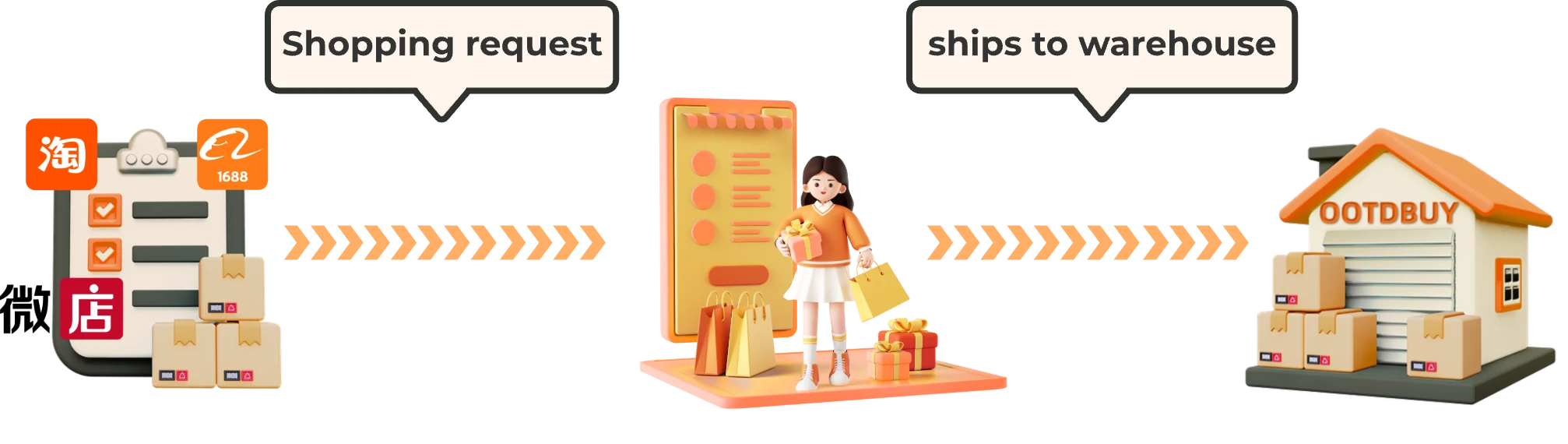
A China shopping agent is a service layer between an overseas shopper and domestic Chinese sellers. OOTDBuy's current guide shows a user submitting a shopping request, the agent purchasing, goods reaching its China warehouse, an order-review stage, parcel submission and outbound shipping.
This independent guide describes the current official workflow. It cannot see accounts, orders, warehouse records or parcels.
Do not merge the roles
Catalogue
The OOTDBuy Spreadsheet card helps you browse and reach a source product page.
Seller/source
The source page controls the current listing. Seller terms and listing accuracy do not come from this guide.
OOTDBuy
The live service can show the current request, order and parcel options available to the account.
This guide
It documents boundaries, offers checklists and links to current sources; it cannot operate an order.
Current official flow
A product link or current search/request starts the agent-side flow.
The agent-side order moves toward receipt at the China warehouse.
Use the order information and images actually available. Ask official support about anything account-specific.
Select goods and review the routes/options currently offered for that parcel.
The live order controls the estimate, payment and shipment status.
Source boundary. This is a broad workflow summary from the current official guide. It is not a promise about availability, inspection coverage, speed, price, customs or delivery. Open official guide. Recheck: monthly source review.
Current identity
Operator shown in the official footer
The current official footer displays the company name, a UK registered number and a Coventry address. Use the official site or the UK public register when that identity matters to your decision.
Independent-site boundary
We do not operate OOTDBuy, hold orders, inspect goods, quote shipping, release parcels or decide claims.
Source boundary. Company identity rechecked in the current official footer on 22 August 2026. This guide does not reproduce volatile account or promotional data. Open official site. Recheck: quarterly identity review.
What can cost money
Source
Controlled by the current listing and options.
Domestic
Controlled by the seller/order information shown at the time.
Service
Read any optional service and its current amount before confirming.
International
Controlled by the actual parcel, destination and routes offered in the live flow.
No secondary-source percentage, fixed customs charge, worked route rate or universal parcel formula is used here. Those claims were removed because they were stale or too context-sensitive.
What the guide cannot promise
Seller
A catalogue card and an agent workflow do not turn into a quality warranty.
Review
Visible photos can help you observe details; they are not certification.
Route
Use the current options and destination rules for the actual parcel.
Support
Only the live official process can assess an account-specific case.
Entity definition
The core experience is a set of visible product cards. A card helps you discover a candidate and opens its source product page. The guide layer explains how to recheck that source and hand it to OOTDBuy. The catalogue does not become the seller, the agent or the checkout.
The word “Spreadsheet” survives from link-list culture. On this site it means an image-led discovery catalogue.

Sneakers
Open the source page to check its current options and destination link.
W2C listing w-7626759384 · checked 22 August 2026
What the name does not mean
It is
Product cards, categories and source destinations help you find and organise candidates.
It is not
There is no file to download, no cell grid to edit and no spreadsheet software workflow.
It is not
The current source product page, not the catalogue card, holds listing-specific information.
It is not
OOTDBuy is the separate agent layer. This independent site cannot place, inspect or change an order.
Browse the catalogue
This is the product-discovery core: image, category, source page and a clear claim boundary.
Sneakers
Open the source page to check its current options and destination link.
W2C listing w-7626759384 · checked 22 August 2026
Hoodies
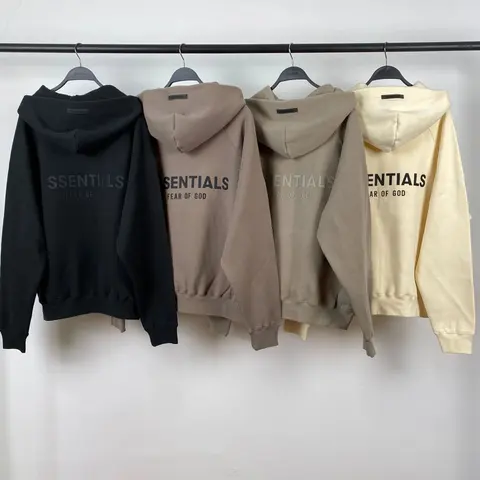
A visible listing example, not a stock or quality promise.
W2C listing w-7475807548 · checked 22 August 2026
Bottoms
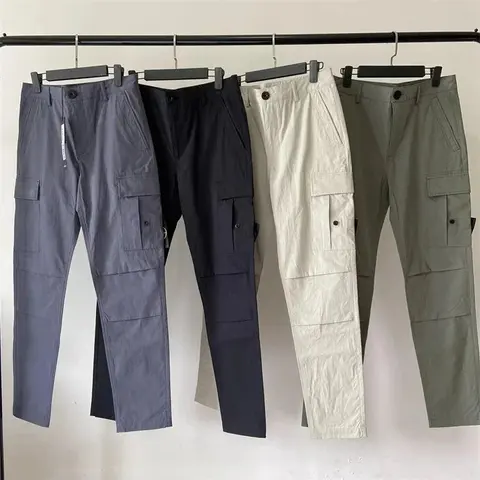
Use the source page for current item details.
W2C listing w-7498374968 · checked 22 August 2026

Bags
Printed details belong to the listing and are not independently verified here.
W2C listing w-7589482975 · checked 22 August 2026
Source boundary. Listing photos checked 22 August 2026. Each card opens its W2C source product page. Names, options, price and availability must be rechecked there.
How to use it
Browse by category or image. Save the source destination, not only a screenshot.
Check that the page still resolves and that its current item/options match what you intended to save.
Paste or open the source link through OOTDBuy and review what the live request screen shows.
Record the source URL, chosen option, order identifier and the visible detail that matters to you.
Source boundary. The official current guide shows a shopping request moving toward the OOTDBuy warehouse. It does not guarantee a particular item, seller or result. Open official guide. Recheck: monthly source review.
Build a better saved list
A catalogue is useful before you commit because it lets you compare candidates. Add a short note to each saved find: visible shape, package preference, any route-sensitive contents, and the detail you would want to review later.
Save
Keep the destination you can reopen, not a copied title alone.
Specify
Record colour, size or variant in the wording visible on the current source.
Review
Name the exact seam, label, surface or condition area that matters.
Plan
Note whether shape, protection or current route acceptance needs attention.

Using a listing well
A saved card is a starting point. Confirm the destination before every purchase.
The current source and agent request control the price you are actually shown.
Ask about what a photo can show; do not ask a photo to prove authenticity or performance.
Separate product discovery notes from agent order status and parcel decisions.
Use the options shown for the actual parcel rather than a generic route list copied in advance.
OOTDBuy Spreadsheet haul planning
Combining several warehouse orders into one outbound parcel can change how charges and packing apply. It does not create a universal saving. Contents, destination, dimensions, measured weight, selected services and the routes actually offered all belong to the live parcel.
The previous fixed-rate calculator and worked totals were removed. This page does not calculate shipping or promise that one parcel is cheaper.
What can change
No fixed route components or universal dimensional formula are reproduced here.
Goods
The selected items determine what the parcel contains. Repeated units or route-sensitive contents can change the options shown.
Parcel
The warehouse-side parcel state, not a photo-based guess, is what the live process can use.
Destination
Available routes and destination-side requirements can differ.
Service
Read the current wording and amount for any selected service before confirming.
Route
A route name copied from an old guide is not evidence that it is available for this parcel.
Timing
Do not turn an older estimate into a delivery promise.
A safer comparison
Scenario A
Scenario B
Source boundary. The live tool and parcel/account state control current options and estimates. This independent page performs no pricing calculation. Open official freight tool. Recheck: at the point of decision.
What consolidation leads to
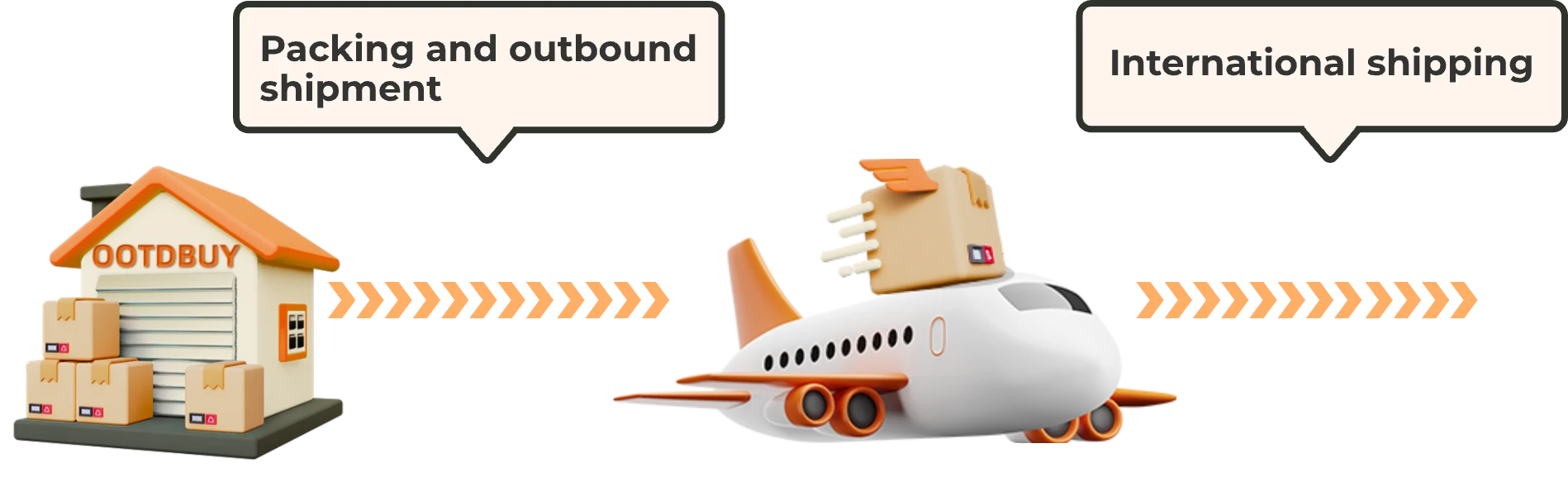
The current official guide depicts packing and outbound shipment after the user selects and submits goods. That picture explains the stage, not its price or result.
Only include orders you intend to send together.
Resolve questions before the parcel moves beyond the stage where the live service still offers a change.
Read the routes and estimate shown for the actual parcel.
The account controls the current payment and submission state.
Source boundary. Official workflow illustration checked 22 August 2026. It does not show a price, route, transit time or delivery guarantee. Open official guide. Recheck: monthly source review.
When a split can be worth checking
Availability
Check whether changing the parcel contents produces a meaningful current alternative.
Handling
Consider whether rigid, fragile or route-sensitive goods should be decided separately.
Timing
Compare the value of waiting with a real current alternative; do not assume one option always saves money.
Evidence
Resolve the observable question before placing it inside a submitted parcel decision.
Source boundary. These are comparison prompts, not operator rules or recommendations. The live account and official support control what is possible.